The face
Zones
The face has five zones. You put one field, or None, in each zone. Each zone has an ID from Z1 to Z5.
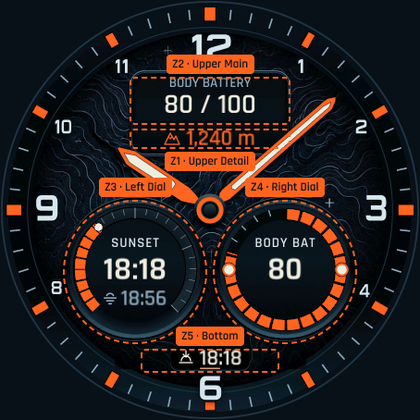
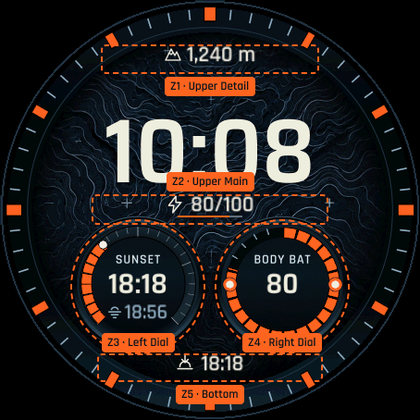
Zone IDs and names
The settings show the zone names. This Guide also uses the IDs. A zone ID is the same in both styles.
| ID | Name in settings | Analog | Digital |
|---|---|---|---|
| Z1 | Upper Detail | Compact row in the upper housing, below Z2 | Row above the time |
| Z2 | Upper Main | Caption word and value, top of the upper housing | Row below the time, the widest row |
| Z3 | Left Dial | Round dial, lower left | Smaller round dial, lower left |
| Z4 | Right Dial | Round dial, lower right | Smaller round dial, lower right |
| Z5 | Bottom | Compact row above the 6 | Row at the bottom |
What each zone shows
- Rows (Analog Z1 and Z5, all Digital rows) show an icon and the value. Icon and text are centered as one group.
- Analog Z2 shows a caption word above the value.
- Dials (Z3 and Z4) show a caption, the value and a context line. Many fields also draw a scale around the dial.
- Digital Z2 is the widest row. It shows the longest forms, for example the step goal or the battery estimate.
On AMOLED watches, Analog Z5 sits in a small pill. The pill grows with its text but stays inside the zone. MIP watches draw Z5 without a pill.
Two neighbouring dials keep their caption and value on the same lines. A dial without a context line does not move its value.
None
None removes the field completely. The zone shows no text, icon, dash or housing.
- The Analog upper housing shows when Z1 or Z2 holds a field.
- Each dial housing shows only when its dial holds a field.
- A new install has all five zones set to None. Only the time shows.
The same field in two zones
You can put one field in more than one zone. All copies show the same reading. Each copy uses the form that fits its own zone.
Forms
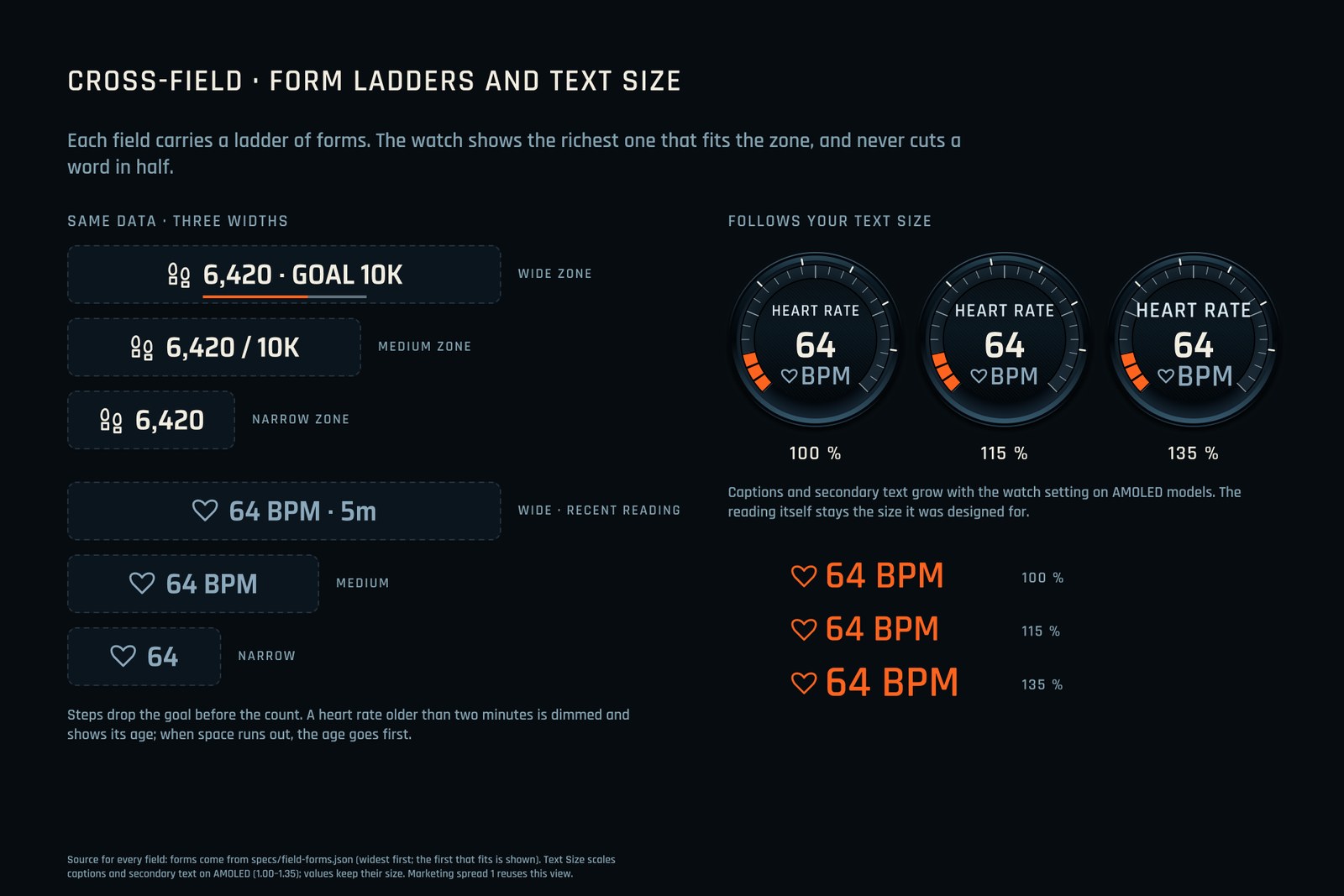
Each field has a list of forms, from the longest to the shortest. The face draws the first form that fits the zone.
A shorter form drops context first, for example the age or the unit. The value stays as long as possible.
When even the value does not fit, the zone shows —. Each field page lists its forms for each zone.