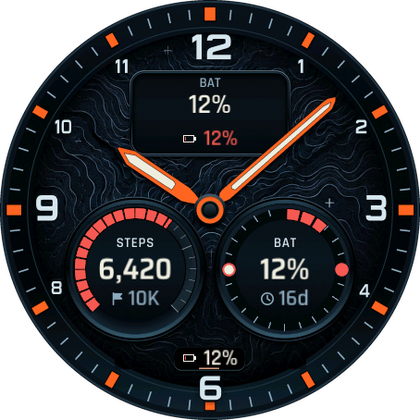
The face
Colors
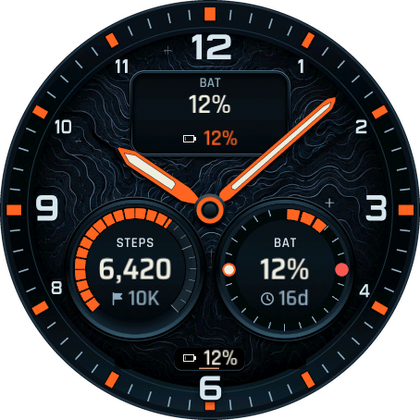
You choose two colors: Accent and Data Color. The face uses fixed colors for text and states, so values stay easy to read.
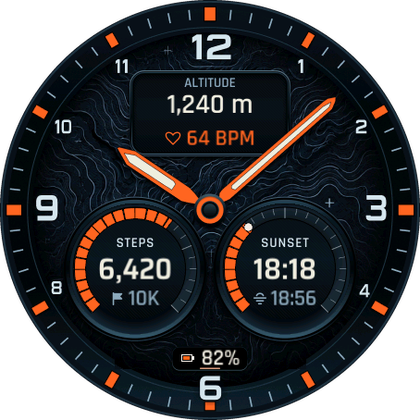
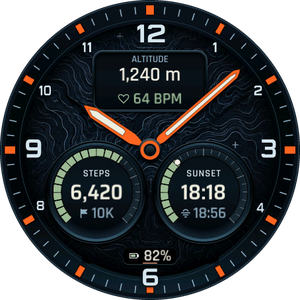
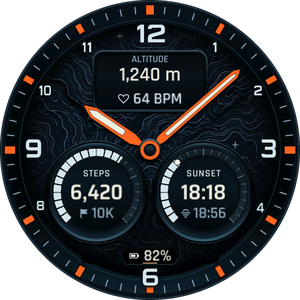
The same face with the Orange Accent and five Data Colors.
Accent and Data Color
| Setting | What it colors |
|---|---|
| Accent | Analog hands and chapter marks. The accent layer of the Digital style. |
| Data Color | Arcs, ring cells and rails. The Analog Z1 text and icon. The fill of the battery icon. The rims of the fittings. |
The Digital time digits keep one fixed color in every palette.
Palette
AMOLED watches have nine colors. MIP watches have seven, because their displays show fewer colors. Orange is the default for both settings.
| Color | AMOLED | MIP |
|---|---|---|
| Orange | #ff641f | #ff5500 |
| Ivory | #f1ede1 | Same as White |
| Ice | #d6e6ef | Same as White |
| White | #f3f5f5 | #ffffff |
| Cyan | #61c8dd | #55aaaa |
| Blue | #6faad6 | #55aaff |
| Sand | #d9b88c | #aaaa55 |
| Green | #9dbb98 | #55aa55 |
| Red | #f35b4f | #ff5555 |
Text colors
- Values use Ivory (White on MIP).
- The Analog Z1 row uses your Data Color.
- Analog Z5 and all Digital rows use Ivory.
- Dial context lines and old data use the Detail color, a soft blue gray.
Old data
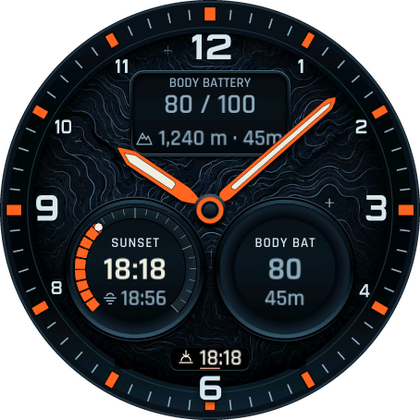
An old reading changes to the Detail color and shows its age. Rings, arcs, rails and arrows hide, because they would show old data as current.
State colors
Some colors stay the same in every palette, because they carry a state.
| Mark | Color | Meaning |
|---|---|---|
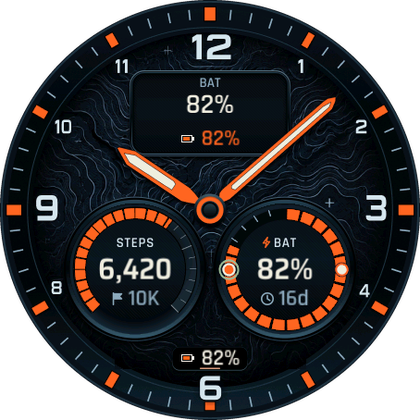
| Right fitting | Red | Battery at 15 % or less. Body Battery at 25 or less. |
| Battery halo | Green | The watch charges. |
| Body Battery halo | Your Data Color | Body Battery rises. |
| Night arc and rail track | Neutral gray | The part of the scale without a value, and the night on Sun Cycle. |
Special cases
Light Data Colors
Ivory, Ice and White are light colors. With a light Data Color, the fitting rims use your Accent. If the Accent is light too, the rims use the Detail color.
Red Data Color
With a Red Data Color, every fitting rim is red. The same occurs with a light Data Color and a Red Accent. A low level then shows only as a red center in the right fitting.