Field
Battery
The charge of the watch battery and the time it has left. The watch reports both values.
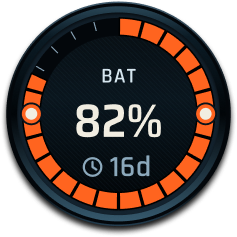
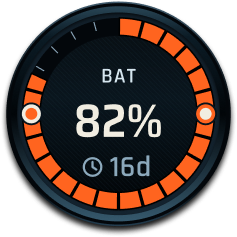
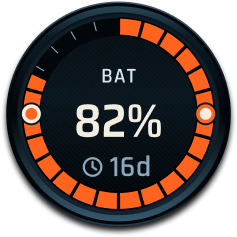
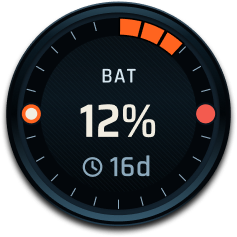
What it shows
- The value is the charge in whole percent, rounded down. At 99.6 % the face shows
99%. - The ring uses the exact charge.
- The estimate is Garmin's: whole days, for example
16d. Below one day it shows whole hours, for example9h. Below one hour it hides. - Battery is always current. It never shows an age.
Every form of this field, by zone
| Where | Forms, widest first (the watch shows the first one that fits) |
|---|---|
| Analog · Upper Detail and Bottom |
|
| Analog · Upper Main |
|
| Digital · Upper Detail and Bottom |
|
| Digital · Upper Main (below the time) |
|
| Both styles · dial, line below the value |
|
States
| State | What you see | When it changes | |
|---|---|---|---|
| Normal | The Level Ring fills clockwise from 12 o'clock. Both fittings are neutral. | As the charge changes. |
| Charging by cable | The left fitting lights. A green halo goes around the ring. A bolt shows next to BAT. | When you remove the cable. |
| Solar input | As charging, with a sun next to BAT instead of the bolt. | When the solar input stops. |
| Low | The right fitting turns red at 15 % or less. | When the charge goes above 15 %. |
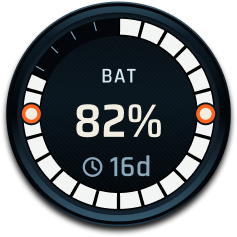 | Light Data Color | With Ivory, Ice or White data, the fitting rims use your Accent. | When you change the Data Color. |
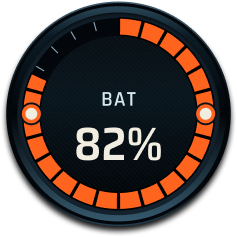 | No estimate | The percent only, centered. Below one hour, the estimate hides. | When the watch reports an estimate. |
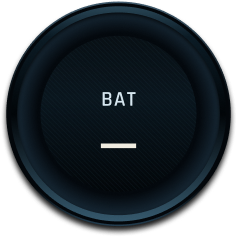 | No reading | — and no ring. | When the watch reports a charge. |
Indicators
- Level Ring in a dial: 24 cells. Empty cells show a tick.
- Left fitting and green halo: the battery charges.
- Right fitting in red: the battery is low.
- Bolt or sun next to
BAT: charging by cable or by the sun. The cable wins when both occur. - Battery icon in rows: the fill shows the charge in your Data Color.
- Clock icon in the dial context line: the estimate.
Touch and hold
Hold the field to open the Garmin battery screen. Back returns you to the face.
Permission
None. The face reads the battery without a permission.
Known limits
- On a solar watch, the sun and the halo show in daylight also when the battery is full.
- The face can show
15%without the red fitting. The red starts at 15.0 % exactly, and 15.4 % shows as15%.