Fields
Field explorer
Every field works in all five zones and in both styles. Pick a zone, then a field, and see it on the watch.
Build your face
Pick a zone, then a field
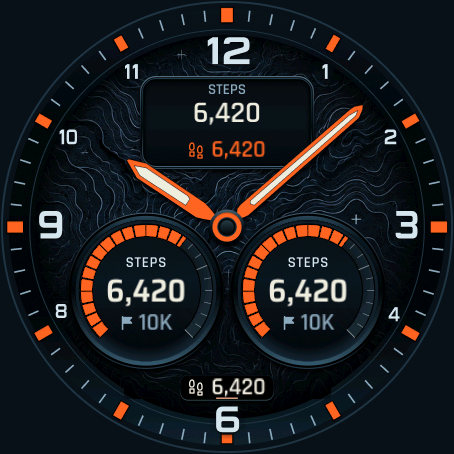
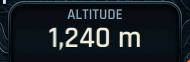
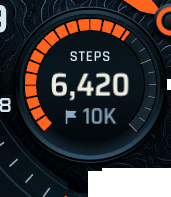
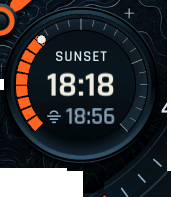



The builder shows the default colors. You can change the Accent and the Data Color too: Colors.
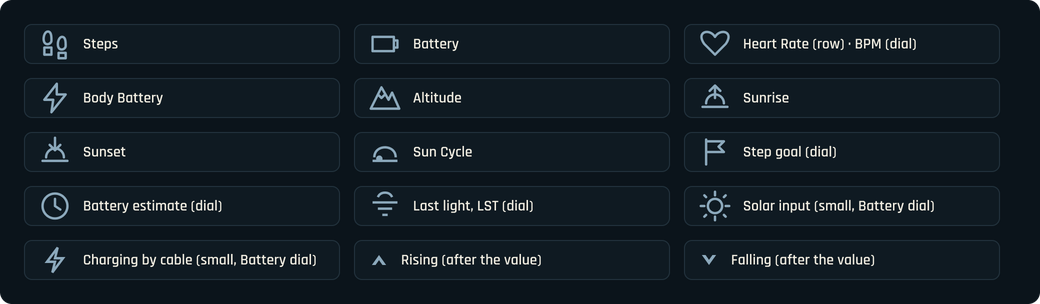
All fields
Dial anatomy
A dial shows a caption, a value and a context line. Many fields also draw a scale around the dial.

| Scale | Fields | How it reads |
|---|---|---|
| Open Arc | Steps, Heart Rate | 24 cells over three quarters of a circle, from the lower left. Steps fills toward the goal. Heart Rate shows the pulse between rest and the top of zone 5. |
| Level Ring | Battery, Body Battery | 24 cells, clockwise from 12 o'clock. Empty cells show a small tick. Two fittings at 9 and 3 o'clock show state. |
| Daylight arc | Sun Cycle | Fills from today's sunrise to now. At night it shows the time since sunset in gray. A dot marks now. |
Fittings and halos
- The left fitting lights when the level goes up: Battery charges, or Body Battery rises.
- The right fitting turns red when the level is low.
- A halo around the ring shows the same rise. It is green for Battery and in your Data Color for Body Battery.
Each mark shows a state. When the state ends, the mark goes back to neutral.
Icons