Field
Heart Rate
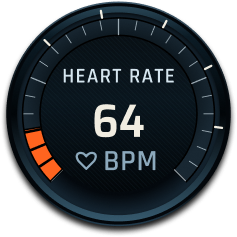
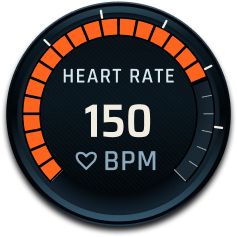
Your heart rate in beats per minute. A dial also shows where it sits in your heart rate zones.
What it shows
- The face uses the live sensor reading when the watch has one.
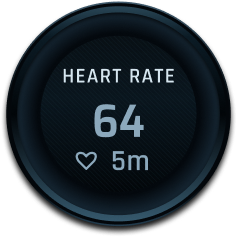
- Without a live reading, it uses the newest sample from the heart rate history and shows its age.
A reading up to 2 min old is live. An older reading is dimmed and shows its age. After 10 min, the field shows —.
Every form of this field, by zone
| Where | Forms, widest first (the watch shows the first one that fits) |
|---|---|
| Analog · Upper Detail and Bottom |
|
| Analog · Upper Main |
|
| Digital · Upper Detail and Bottom |
|
| Digital · Upper Main (below the time) |
|
| Both styles · dial, line below the value |
|
States
| State | What you see | When it changes | |
|---|---|---|---|
| Live | The value with BPM. A dial shows the zone arc. | With each new reading. |
| Active | The arc fills further as your pulse goes up through the zones. | With each new reading. |
| Recent | The value in the Detail color with its age, for example 72 BPM · 5m. No zone arc. | When a live reading comes back. |
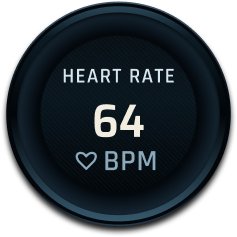 | No zones | A dial shows the value only, without the arc. | When your user profile has heart rate zones. |
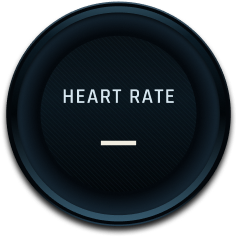 | No reading | —. | When the watch has a reading again. |
Indicators
- Zone arc in a dial: an Open Arc from your resting heart rate to the top of zone 5. It shows only for a live reading.
- Zone notches: five small marks where zones 1 to 5 start.
- Heart icon in rows and in the dial context line.
The arc needs your resting heart rate and your heart rate zones from the Garmin user profile. The face uses the generic sport zones. The top of zone 5 must be at least 30 bpm above the resting rate.
Touch and hold
Hold the field to open the Garmin heart rate screen. Back returns you to the face.
Permission
The live heart rate needs no permission. The zone arc reads your user profile, which needs the User Profile permission. See Permissions and privacy.
Known limits
- The face does not switch on the heart rate sensor. It shows what the watch already measures.