Field
Altitude
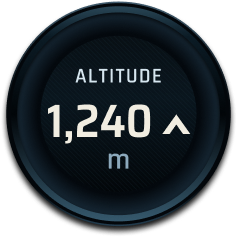
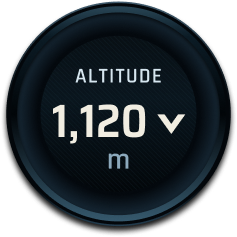
Your altitude in the unit of the watch. An arrow shows a climb or a descent in the last hour.
What it shows
- The face uses the current altitude when the watch reports one.
- Else it uses the newest elevation sample from the history and shows its age.
- The unit is meters or feet, from the settings of the watch. The value is in whole units with commas, and the sign stays:
-1,401 ft.
A reading up to 15 min old is live. An older reading is dimmed and shows its age. After 2 h, the field shows —.
Every form of this field, by zone
| Where | Forms, widest first (the watch shows the first one that fits) |
|---|---|
| Analog · Upper Detail and Bottom |
|
| Analog · Upper Main |
|
| Digital · Upper Detail and Bottom |
|
| Digital · Upper Main (below the time) |
|
| Both styles · dial, line below the value |
|
States
| State | What you see | When it changes | |
|---|---|---|---|
| Ascending | An up arrow after the value. | When the climb in the last hour is less than 10 m. |
| Descending | A down arrow after the value. | When the descent in the last hour is less than 10 m. |
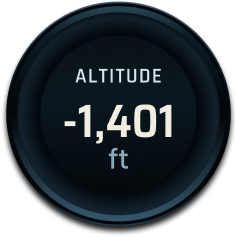 | Below sea level | A minus sign before the value. No arrow while the altitude is steady. | When you go above sea level. |
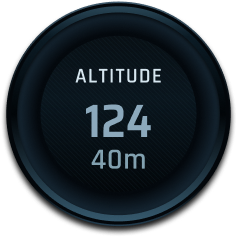
| Recent | The value in the Detail color with its age, for example 40m. No arrow. | When a new reading comes. |
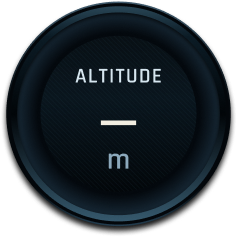 | No reading | —. | When the watch has a reading again. |
Indicators
- Arrow: the newest history sample, up to 15 minutes old, against the oldest sample in the hour before it. The change must be 10 m or more. The face measures it in meters also in feet mode.
- Mountain icon in rows.
- Altitude has no scale. A dial shows the value and the unit.
Touch and hold
Hold the field to open the Garmin altitude screen. Back returns you to the face.
Permission
Sensor History. The face reads the elevation history of the watch. See Permissions and privacy.
Known limits
- The arrow uses the history also when the value is a current reading.
- The arrow shows the direction of real samples. It is not a rate or a forecast.